Two apps, one account. Run the till on OHINT POS, and everything else — attendance, leave, timesheets, field sales — on OHINT Workforce.
OHINT POS
Point of sale
A full till on Android, a Windows PC or a Linux terminal — sell, take payment, print, and keep trading when the network drops. Backed by Odoo, with every sale synced to your books.
AndroidWindowsLinuxVersion—
Offline-first — the till keeps selling without a network
Android 1.4.1 and later is a NEW app — if you still have a version before 1.4.1, uninstall the old OHINT POS first, then install, then enrol the device with a fresh code from the console. It does not upgrade over the old version.
Android 8.0+ · Windows 10/11 (64-bit) · Linux x86-64 (64-bit) · served over HTTPS
OHINT Workforce
Workforce & SalesField
Attendance, leave, timesheets, field sales and an AI assistant — bilingual, with push notifications and offline-first sync.
The same three steps for either app. Installing the Windows and Linux builds is below.
1
Download
Tap a download button above and open the file when it finishes.
2
Allow the install
If prompted, enable “Install unknown apps” for your browser or Files app, then confirm.
3
Open & sign in
Launch the app, allow notifications, and sign in with your company credentials.
Installing the Windows build
A portable 64-bit build for Windows 10 and 11 — there is no installer. Right-click the downloaded zip, choose “Extract All…”, pick a permanent folder such as C:\OHINT POS, then open ohint_pos.exe inside it.
Keep the folder together — ohint_pos.exe loads the .dll files and the data folder beside it. For a desktop shortcut, right-click ohint_pos.exe → Send to → Desktop (create shortcut). Do not run it from inside the zip without extracting.
If Windows shows “Windows protected your PC”, click “More info”, then “Run anyway”. It appears because the app is new to Microsoft SmartScreen.
Installing the Linux build
A self-contained x86-64 build — no installer and no system packages to add. Unzip it anywhere and run the launcher:
unzip ohint-pos-linux.zip
cd bundle
./ohint_pos
Keep the folder together — the launcher loads its libraries from lib/ beside it. To start it from a desktop shortcut, point the shortcut at that same ohint_pos file.
Blocked by Google Play Protect?
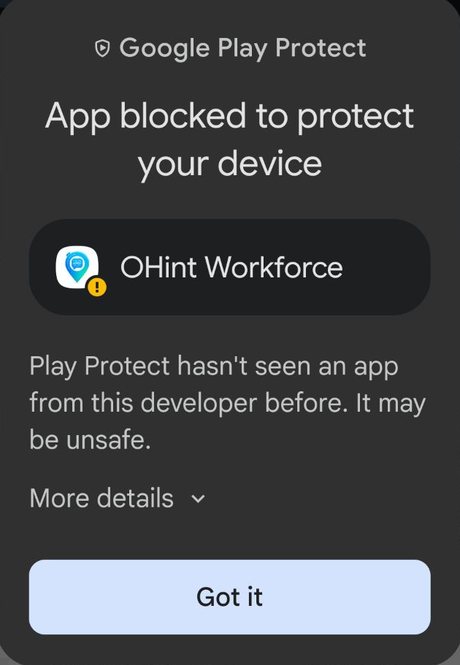
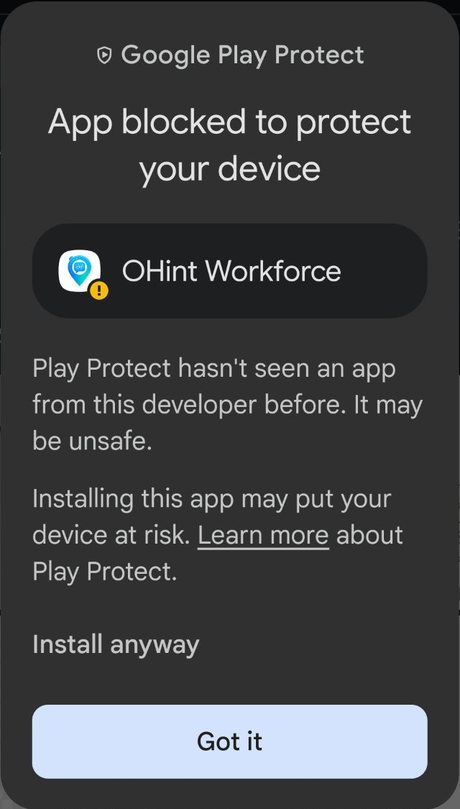
Android shows this warning because OHINT is not on Google Play yet, so Play Protect has not seen this developer before. The files above are signed by OHINT and served over HTTPS. You can continue in three taps:
On the “App blocked” warning, tap “More details”.
The warning expands. Tap “Install anyway”.
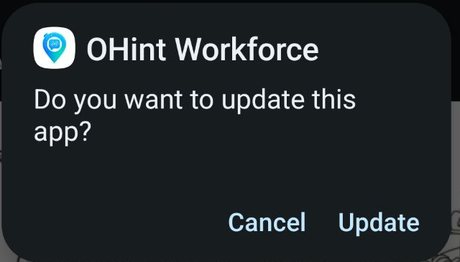
Confirm with “Install” — or “Update” if the app is already on your phone.
If “Install anyway” does not appear, open Play Store → your profile picture → Play Protect → the settings gear, turn off “Scan apps with Play Protect”, install the file, then turn it back on.
This warning disappears once OHINT is published on Google Play.